
A video resume is no longer a novelty. In 2026 it’s a practical, high-signal asset—especially for roles that reward communication, ownership, client-facing presence, or product thinking. That said, most video resumes still fail for predictable reasons: poor audio, distracting visuals, weak structure, and a lack of proof that the candidate can communicate value quickly.
Hiring teams are not “grading” your video like a filmmaker, but they are using it as a proxy for role readiness: clarity, concision, judgment, and attention to detail. The right toolchain helps you remove friction and ship something that looks intentional rather than improvised.
Below are seven tools (and a lightweight workflow) that consistently produce strong outcomes—without requiring a full production setup.
What “Job-Winning” Means in 2026 (and What Recruiters Actually Notice)
A strong video resume typically does three things in under two minutes:
- States your target role and positioning (who you help, how you help, and in what context).
- Shows proof-of-work (a portfolio clip, a metric-driven outcome, a before/after, a quick demo).
- Reduces perceived risk (clear audio, stable framing, readable visuals, confident pacing, no gimmicks).
The 2026 baseline expectations
Even for non-creative roles, the baseline has moved:
- Audio clarity is the #1 quality driver. Viewers tolerate average video; they abandon unclear audio quickly. This aligns with usability research across media: comprehension drops sharply with noise, clipping, or echo.
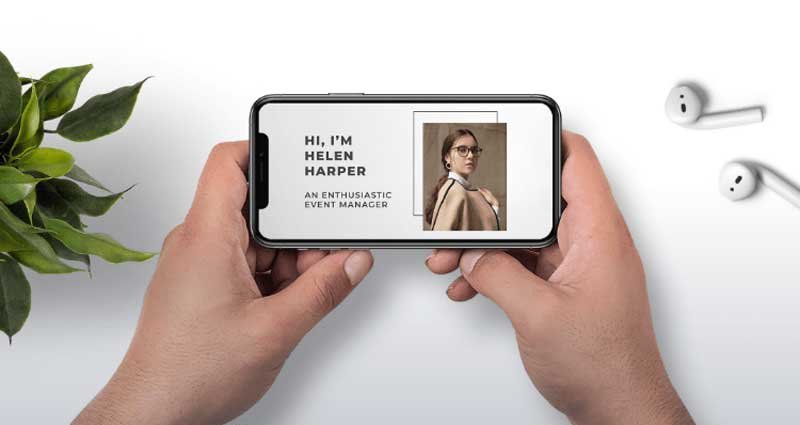
- Mobile-first viewing is common. Recruiters often preview content on phones between calls. That means large text, high contrast, and minimal screen clutter matter.
- Speed matters. Many screenings happen in batches. A tight structure (hook → proof → close) wins.
Expert tip: Think “explainability,” not “performance”
Your goal is not charisma. Your goal is decision-ready communication: can a hiring manager understand your value, quickly, and trust you to represent the company in writing, meetings, and customer contexts?
The Workflow: From Script to Shareable Asset
Before tools, use a process:
- Outline: 3–5 bullet points for your narrative (role, strengths, proof, fit, CTA).
- Record clean audio + video: stable shot, good mic, consistent lighting.
- Edit for pace: remove pauses, tighten to 60–120 seconds.
- Add supportive visuals: captions, lightweight b-roll, portfolio screenshots.
- Export in recruiter-friendly formats: MP4, H.264/H.265, 1080p, manageable file size.
- Host and link: choose a share method that loads fast and doesn’t require logins.
The tools below map directly to these steps.
Tool #1: Overchat (for clean, reusable video assets)
A strong video resume in 2026 is rarely a single, uninterrupted talking-head clip. Candidates typically combine multiple elements: a screen recording of a portfolio, a slide with quantified results, a short product demo, or an AI-generated explainer segment. The problem is that these fragments often come from different tools and exports—so visual artifacts (especially watermarks) can sneak into the final cut and instantly make the video feel like an unfinished draft.
Overchat addresses this with its watermark remover feature: you can process the final export (or only specific segments) to remove distracting overlays and keep the viewer’s attention on your content rather than on on-screen marks.
Why this matters (beyond aesthetics)
From a hiring perspective, a clean video isn’t about “looking fancy.” It’s about clarity and credibility:
- Readable proof-of-work: UI labels, charts, KPIs, and small interface details remain unobstructed—especially important when recruiters watch on mobile.
- Higher perceived professionalism: watermark-free deliverables signal that you can produce stakeholder-ready materials, not just drafts.
- Consistency across channels: whether you embed the video on a portfolio site, share it on LinkedIn, or email it to a recruiter, the same clean asset holds up everywhere.
Expert comment: Keep it ethical and transparent
Use overchat to clean up your own materials—your portfolio walkthrough, interview practice recording, original demos, and self-made b-roll. Avoid removing marks from third-party content in a way that implies ownership or bypasses licensing. When you reference external assets, keep attribution clear and use materials you’re authorized to use.
Tool #2: Descript (script-first editing, filler-word control, fast iteration)
Descript remains one of the most productive tools for a video resume because it treats video editing like document editing. This approach matches how candidates actually work: you refine messaging first, then polish delivery.
Best use cases
- Cutting verbosity: remove “um,” “like,” and long pauses in one pass.
- Rewriting intros: tighten your first 10 seconds without re-recording everything.
- Versioning: create a general video resume and then role-specific variants.
Expert tip: Aim for 130–160 words per minute
If your video is 90 seconds, a realistic target is roughly 200–240 words total. This keeps pacing confident and avoids rushed delivery—especially on mobile.
Tool #3: Adobe Premiere Pro (or DaVinci Resolve) for “final-mile” polish
For candidates who want maximum control, a professional editor is still the gold standard for:
- Precision cuts
- Color correction
- Audio leveling
- Motion graphics
- Export control
Premiere Pro vs DaVinci Resolve
- Premiere Pro: widely used, integrates well with After Effects and Adobe assets.
- DaVinci Resolve: excellent color and strong editing, with a powerful free tier.
Expert comment: Avoid “template overload”
Hiring teams rarely reward flashy transitions. Use motion sparingly and prioritize readability: lower-thirds, clear section titles, and simple on-screen metrics.
Tool #4: CapCut (fast captions, mobile-first editing, social-ready exports)
CapCut is popular for a reason: it’s quick, accessible, and strong for captions—an underrated component of video resumes in 2026.
Why captions matter
Captions increase comprehension when:
- the viewer is in a noisy environment,
- audio is muted by default,
- the viewer is scanning quickly.
How to use CapCut like a professional
- Use high-contrast captions with subtle background shading.
- Keep captions short and synced; avoid dumping full sentences.
- Don’t cover your face or key visuals—reserve bottom third spacing.
Tool #5: Riverside (high-quality remote recording, separate audio tracks)
If you’re recording a conversation-style video resume (common for leadership, consulting, sales, customer success) or a “walk-and-talk” explanation with an interviewer/co-host, Riverside is a strong option because it records locally and supports separate tracks.
Advantages that matter to hiring
- Clearer audio than typical conferencing recordings.
- Cleaner editing because tracks are separable.
- Stable output even with inconsistent internet.
Expert tip: Use a “two-take strategy”
Record:
- a “natural take” (conversational),
- a “tight take” (slightly faster, more structured). Then choose the best segments from both.
Tool #6: Canva (visual structure, overlays, simple brand consistency)
Canva is ideal for building visual scaffolding: intro cards, section dividers, and simple data callouts.
What Canva does well for video resumes
- Clean typography and alignment
- Consistent colors (light branding without looking like marketing)
- Slide-style proof (metrics, timelines, project summaries)
Expert comment: Use metrics like an operator
When you present proof, use operational framing:
- “Reduced onboarding time by 23%”
- “Improved conversion from 2.1% to 2.8%”
- “Shipped X in 6 weeks; unblocked Y stakeholders”
Even one quantified outcome can outperform a long list of generic traits.
Tool #7: Loom (quick hosting, frictionless sharing, analytics)
A tool is only as good as the delivery path. Loom remains a practical way to host and share because it reduces friction: record, title, share, and embed with minimal overhead.
Why hosting quality influences outcomes
Recruiters abandon videos when:
- the link requires login,
- playback is slow,
- the file is too large,
- the format is incompatible.
Loom generally solves these issues and provides view signals (useful for you, not required for the recruiter).
Expert tip: Always provide a fallback
In your application, include:
- the Loom link,
- a direct downloadable MP4 (or an alternate host),
- and a text summary (3 bullets) for accessibility.
How to Choose the Right Toolchain (Based on Your Role)
Different roles benefit from different emphasis:
For product, engineering, data
- Screen recording quality and clarity matter.
- Use Descript for script tightening, Premiere/Resolve for final polish, and Canva for metric callouts.
- Keep visuals crisp: zoom on relevant UI, avoid tiny text.
For sales, CS, recruiting, consulting
- Presence + audio quality matter most.
- Use Riverside for clean recording, CapCut for captions, Loom for fast sharing.
For design, marketing, content
- Visual continuity and pacing matter.
- Use Premiere/Resolve for control, Canva for structure, CapCut for captioning.
Expert Checklist: What to Audit Before You Send
Audio (non-negotiable)
- No clipping, no echo, no laptop fan noise.
- Loudness feels consistent (no whispering then spikes).
- Speech is clear on phone speakers.
Visuals (simple and readable)
- Eyes near camera, framing stable.
- Background is not distracting.
- On-screen text is large enough for mobile.
Content (decision-ready)
- First 10 seconds: role + value statement.
- Proof: one project, one outcome, one learning.
- Close: what roles you’re targeting + link to portfolio/LinkedIn.
Length and pacing
- 60–120 seconds is a sweet spot for most roles.
- Cut anything that sounds like a generic cover letter.
Common Mistakes That Reduce Hiring Signal
Mistake 1: Over-indexing on personality
Enthusiasm helps, but hiring decisions are mostly about capability and fit. Replace “I’m passionate” with “Here’s what I shipped and the impact.”
Mistake 2: Too much context, not enough outcome
Skip the long backstory. Give a one-line setup, then deliver the result and your contribution.
Mistake 3: Visual noise
Too many transitions, emoji captions, loud music, or busy overlays reduce comprehension. “Clean” beats “clever.”
Mistake 4: Unclear CTA
End with one action:
- “If this role needs X, I’d love to talk—here’s my portfolio link.”
- “Happy to walk through the project in a technical interview.”
Final Recommendation: A Practical Stack for Most Candidates
If you want a simple, high-return setup in 2026:
- Record: Riverside (or your phone + external mic)
- Edit narrative: Descript
- Add captions: CapCut
- Add structure: Canva
- Final polish (optional): Premiere Pro / DaVinci Resolve
- Share: Loom
- Clean exports: use a watermark removal step when needed to keep your final deliverables visually focused
A video resume should feel like a well-run meeting: clear agenda, credible evidence, and a respectful use of time. Tools won’t replace substance—but the right tools remove avoidable friction so your substance is what gets noticed.